Visual Optimization Techniques for SBI: Create Stunning, Fast-Loading Websites in 2026
Want your Solo Build It website to look professional, load lightning-fast, and rank higher in search results? Visual optimization is one of the most powerful yet underused strategies for SBI users. Beautiful images that are properly optimized can dramatically improve user engagement, reduce bounce rates, and boost your SEO performance.
In this ultimate guide, you’ll discover proven **visual optimization techniques for SBI** that deliver both stunning aesthetics and excellent technical performance. Most importantly, learn how Bulk Snap from SBISnap.com — the smartest AI-powered bulk image optimization tool built exclusively for Solo Build It users — makes applying all these techniques effortless by automatically handling compression, resizing, SEO filenames, alt text generation, and full visual optimization in minutes.
Why Visual Optimization Is Essential for Solo Build It Websites
In today’s competitive online world, visuals are everything. Visitors judge your site within seconds. Well-optimized images help you:
- Create a professional, trustworthy first impression
- Improve user engagement and time on site
- Achieve faster loading speeds and better Core Web Vitals
- Rank higher in Google Image Search
- Deliver excellent experience across desktop and mobile
However, most SBI users focus only on basic compression. True visual optimization combines technical excellence with aesthetic quality — and that’s where Bulk Snap shines.
The Smart Solution: Bulk Snap automates professional visual optimization while meeting SBI’s strict 100KB requirements.
Key Visual Optimization Techniques for SBI Websites
1. Choose the Right Image Dimensions
Use ideal widths: 1200–1400px for featured images and 700–900px for content images. Proper dimensions prevent blurry visuals and unnecessary file bloat.
2. Master Smart Compression
Balance quality and file size. Aim for 70–90KB per image using intelligent compression that preserves details and colors.
3. Optimize for Different Devices
Ensure images look sharp on both mobile and desktop without slowing down the site.
4. Use Modern Image Formats
Prefer WebP where supported for better compression with excellent quality.
5. Create Descriptive, Keyword-Rich Filenames
Replace generic names with SEO-friendly ones like best-keto-pizza-recipe-india-2026.jpg.
6. Write Natural & Accessible Alt Text
Create helpful descriptions that sound human and provide real context.
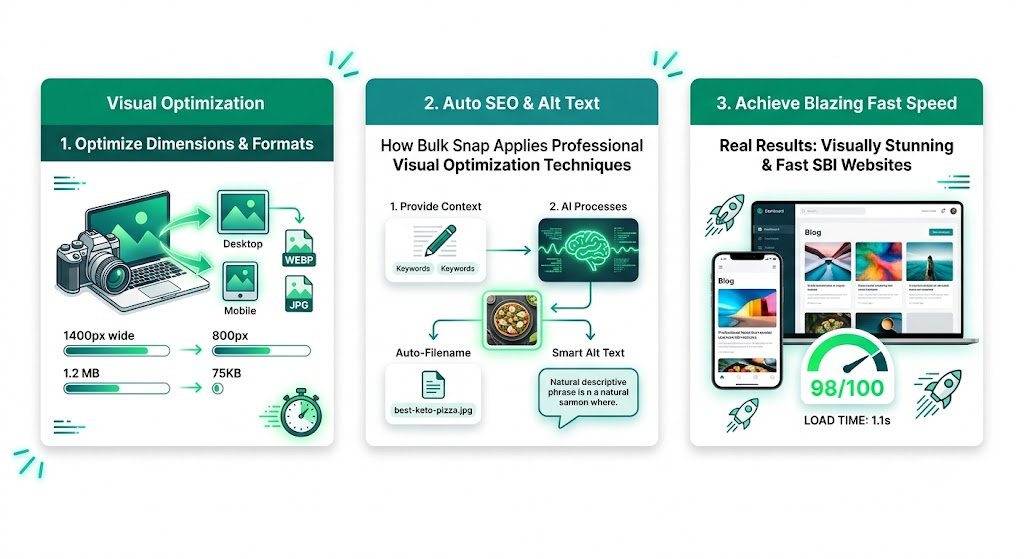
How Bulk Snap Applies Professional Visual Optimization Techniques
Bulk Snap from SBISnap.com is the most powerful visual optimization solution for Solo Build It users. It combines advanced AI with deep platform understanding to deliver perfect results every time.
Key Visual Optimization Features:
- Intelligent AI Compression: Creates lightweight, high-quality images under 100KB
- Smart Dimension Resizing: Automatically applies ideal SBI dimensions
- AI SEO Filename Generator: Produces descriptive, keyword-rich names
- Natural Alt Text Creation: Generates accessible, context-aware descriptions
- Bulk Visual Processing: Optimizes hundreds of images with consistent professional quality
Step-by-Step: Visual Optimization Workflow with Bulk Snap
- Collect Raw Images: Gather high-quality photos for your article.
- Upload to Bulk Snap: Visit SBISnap.com and upload your batch.
- Provide Context: Enter your article title or main keywords.
- Choose Visual Optimization Preset: Select the “SBI – Maximum Visual Quality” setting.
- Process: Let AI apply all visual optimization techniques automatically.
- Download Ready Files: Get perfectly optimized, professional images.
- Upload to SBI: Import and enjoy a faster, more beautiful website.
Real Results: Visually Stunning & Fast SBI Websites
Success Story
“My site used to look average with blurry or slow-loading images. After using Bulk Snap, everything looks sharp, professional, and loads incredibly fast. The visual improvement is dramatic, and my PageSpeed scores jumped significantly. This tool is a must-have for any serious SBI user!”
— Neha Kapoor, Travel & Lifestyle SBI Site Owner
Advanced Visual Optimization Techniques
- Use consistent visual style and color palette across images
- Combine images with well-written captions for better engagement
- Regularly audit and re-optimize older images
- Test visual impact on mobile devices
- Balance quality with performance for best user experience
Comparison: Basic vs Professional Visual Optimization
| Aspect | Basic Approach | With Bulk Snap |
|---|---|---|
| Visual Quality | Inconsistent | Professional & Consistent |
| Loading Speed | Slow | Blazing Fast |
| Time Required | High | Very Low |
| SEO Impact | Basic | Strong |
Conclusion: Elevate Your SBI Website with Professional Visual Optimization
Mastering visual optimization techniques for Solo Build It is one of the best investments you can make in your website. Beautiful, fast-loading, and well-optimized images create a powerful first impression, improve user engagement, and strengthen your SEO performance.
While you can apply these techniques manually, it’s slow and difficult to maintain consistency. Bulk Snap from SBISnap.com makes professional visual optimization effortless. It intelligently applies all the best techniques — compression under 100KB, perfect resizing, SEO filenames, and natural alt text — while handling bulk processing in one seamless tool designed specifically for Solo Build It users.
Stop settling for average visuals. Start creating a stunning, fast, and high-performing Solo Build It website with Bulk Snap today.
Ready to transform your visual optimization workflow? Visit SBISnap.com now and experience the easiest way to create beautiful, optimized images for Solo Build It.