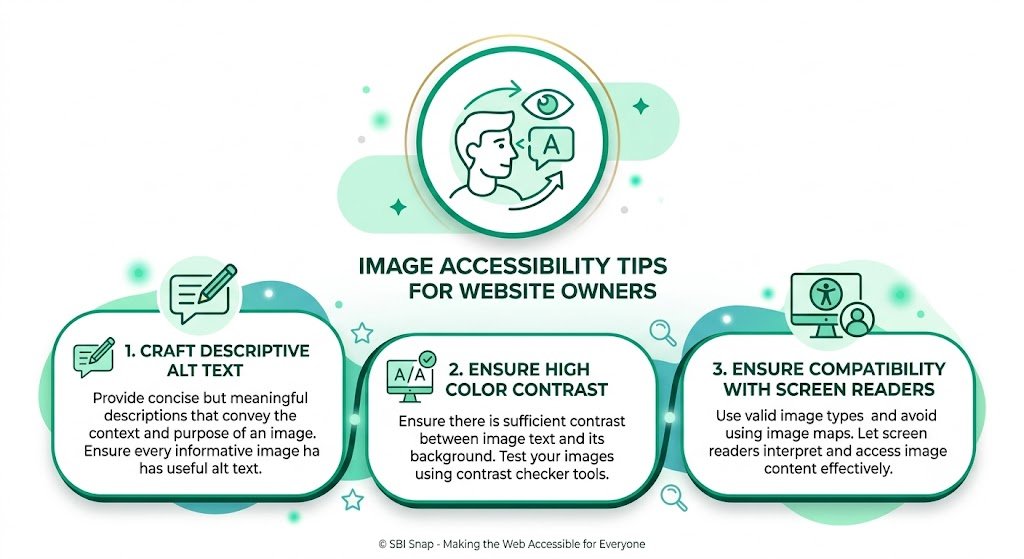
Image Accessibility Tips for Website Owners: Make Your Solo Build It Site Inclusive & SEO-Friendly
Are your images truly accessible to all visitors? Many Solo Build It website owners focus only on beautiful visuals and SEO, but overlook one crucial aspect — image accessibility. Poor or missing alt text, lack of context, and inaccessible images can exclude visually impaired users, hurt your SEO, and damage your brand reputation.
In this comprehensive guide, you’ll discover practical **image accessibility tips for website owners** that improve user experience, boost SEO, and help your Solo Build It site meet modern accessibility standards. Most importantly, learn how Bulk Snap from SBISnap.com — the ultimate AI-powered image optimization tool built exclusively for Solo Build It users — automatically creates high-quality, accessible alt text while handling compression under 100KB, SEO filenames, and bulk processing, making accessibility effortless.
Why Image Accessibility Matters for Solo Build It Websites
Image accessibility is not just a nice-to-have — it’s essential in 2026. With increasing focus on inclusive design and legal requirements (like WCAG guidelines), accessible images benefit everyone:
- Visually impaired users rely on screen readers to understand your content
- Search engines use alt text to better understand and rank your pages
- All users benefit when images fail to load on slow connections
- Your brand appears more professional and caring
Neglecting image accessibility can lead to lost traffic, lower rankings, and potential legal risks. The good news? It’s easier to fix than you think.
The Smart Solution: Bulk Snap’s AI generates excellent, human-like accessible alt text automatically.
Essential Image Accessibility Tips for Website Owners
1. Always Provide Meaningful Alt Text
Every meaningful image should have descriptive alt text. Decorative images should use empty alt text (alt="").
2. Be Specific and Contextual
Describe the image in relation to the surrounding content.
3. Keep It Natural and Concise
Aim for 80–125 characters. Write as if explaining the image to a friend.
4. Include Relevant Keywords Thoughtfully
Incorporate keywords naturally without stuffing.
5. Describe Charts, Infographics & Complex Images
Summarize key data or provide a detailed description.
6. Use Proper Structure for Functional Images
For buttons, icons, or links, describe the action or purpose.
Real-World Examples of Good vs Bad Accessible Alt Text
Bad Alt Text:
- “Image of food”
- “Mountain”
- “Chart”
Good Accessible Alt Text:
- “Delicious homemade paneer butter masala garnished with cream and fresh cilantro in a brass bowl”
- “Tourist standing on a mountain ridge overlooking snow-capped Himalayan peaks at sunrise during a trek in Manali”
- “Bar chart showing 45% growth in remote work productivity from 2023 to 2026”
How Bulk Snap Makes Image Accessibility Easy for SBI Users
Bulk Snap from SBISnap.com is the perfect tool for Solo Build It website owners who want to implement strong image accessibility without spending hours writing alt text manually.
Key Accessibility Features:
- AI-Powered Natural Alt Text: Generates human-like, context-aware, accessible descriptions
- Page Context Understanding: Uses your article topic to create relevant alt text
- 100KB Compression: Ensures images meet SBI requirements
- Bulk Processing: Makes hundreds of images accessible in minutes
- SEO + Accessibility Balance: Optimizes for both users and search engines
Step-by-Step: Implementing Image Accessibility with Bulk Snap
- Collect Your Images: Gather raw photos for your SBI article.
- Upload to Bulk Snap: Visit SBISnap.com and upload the batch.
- Provide Context: Enter your article title or main keywords.
- Run Optimization: Let AI generate accessible alt text, compress images, and create SEO filenames.
- Download: Get fully optimized, accessible images.
- Upload to SBI: Import and enjoy an inclusive, high-performing website.
Real Results from SBI Website Owners
Success Story
“Bulk Snap’s AI-generated alt text sounds so natural and helpful. My site is now much more accessible, and I’ve seen improvements in SEO too. The best part is how fast and easy it makes the whole process. This tool has become essential for every article I publish!”
— Meera Sharma, Wellness Niche SBI Site Owner
Advanced Image Accessibility Tips for Website Owners
- Use consistent tone and style across your entire site
- Test your alt text with screen readers
- Provide longer descriptions for complex images when needed
- Regularly audit older content for accessibility improvements
- Combine strong alt text with descriptive captions
Conclusion: Build an Accessible & High-Performing SBI Website
Image accessibility is no longer optional — it’s a key part of creating inclusive, user-friendly, and SEO-strong websites. Following the right tips helps every visitor while improving your search rankings.
While implementing these best practices manually takes significant time and effort, Bulk Snap from SBISnap.com makes image accessibility easy and automatic. It generates natural, high-quality alt text while perfectly optimizing images for Solo Build It’s 100KB limit, creating SEO filenames, and handling bulk processing in one seamless tool.
Stop leaving your visitors (and rankings) behind. Let Bulk Snap help you create an accessible, fast, and professional Solo Build It website with minimal effort.
Ready to improve image accessibility on your site? Visit SBISnap.com today and experience the easiest way to optimize images for Solo Build It.