Image SEO Checklist Before Migration: Essential Steps When Leaving Solo Build It
Planning to migrate away from Solo Build It? Don’t forget your images! Many users focus only on content and links, completely overlooking their image library. Poorly optimized images during migration can destroy your SEO, slow down the new website, and create broken visuals that hurt user experience.
In this complete 2026 guide, you’ll get a comprehensive **Image SEO Checklist Before Migration** from Solo Build It. Learn exactly what to check and optimize. Most importantly, discover how Bulk Snap from SBISnap.com — the ultimate AI-powered bulk image optimization tool for SBI users — makes this entire checklist effortless by automatically handling compression, resizing, keyword-rich filenames, alt text generation, and full SEO preparation in minutes.
Why Image SEO Matters During SBI Migration
Images are valuable assets that contribute significantly to your site’s SEO, traffic, and visual appeal. When migrating, failing to optimize them properly can lead to:
- Lost image search rankings
- Slower new website performance
- Broken or missing images
- Weak alt text and filenames hurting relevance
- Poor Core Web Vitals scores
A proper Image SEO Checklist before migration ensures your visuals remain powerful ranking assets on the new platform.
The Smart Solution: Bulk Snap automates your entire Image SEO Checklist with AI intelligence tailored for SBI users.
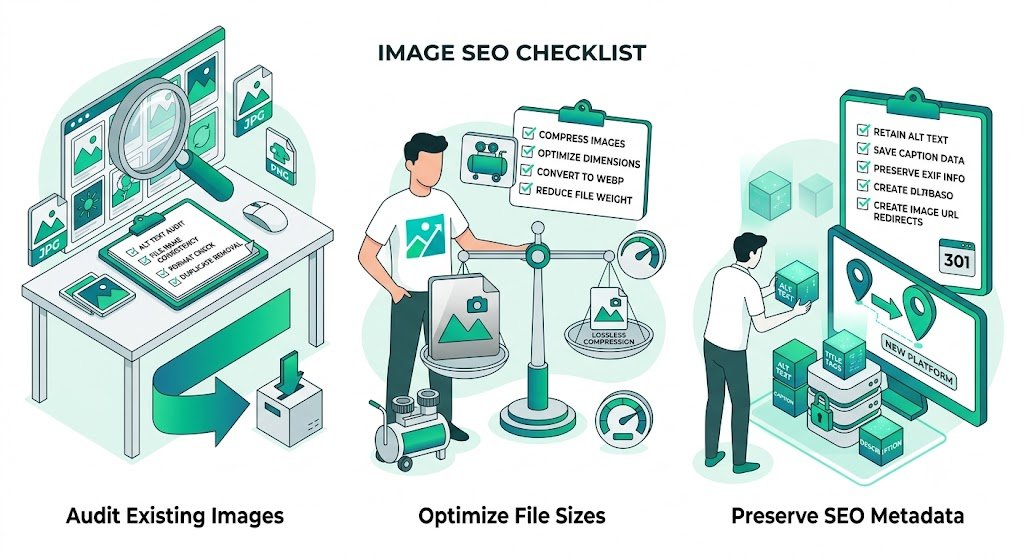
Complete Image SEO Checklist Before Migration from SBI
1. Audit Your Current SBI Image Library
Inventory all images, note file sizes, dimensions, and current filenames. Identify heavy or outdated assets.
2. Export Images Properly
Download images in organized batches. Keep original files as backup before any processing.
3. Resize to Ideal Dimensions for New Platform
Adjust sizes based on your new website’s theme (e.g., 1200–2000px for featured images on WordPress).
4. Compress Under Optimal File Size
Aim for under 150–200KB for the new platform while maintaining quality (much easier than SBI’s 100KB limit).
5. Create Keyword-Rich Descriptive Filenames
Replace generic names with SEO-friendly ones like best-keto-pizza-recipe-2026.jpg.
6. Write High-Quality Alt Text
Create descriptive, context-aware alt text for accessibility and image SEO.
7. Choose Modern Image Formats
Convert to WebP where supported for better compression and speed.
8. Organize Images Logically
Structure folders by category, article, or year for easy management on the new site.
How Bulk Snap Simplifies Your Image SEO Checklist
Bulk Snap from SBISnap.com is the perfect companion when migrating away from Solo Build It. This AI-powered tool handles almost every item on the checklist automatically.
How Bulk Snap Helps You:
- Bulk Resizing & Optimization: Automatically adjusts dimensions for your new platform
- Intelligent Compression: Reduces file sizes while preserving excellent quality
- AI Keyword-Rich Filenames: Generates descriptive, SEO-optimized names
- Smart Alt Text Generation: Creates context-aware, accessible alt text
- High-Volume Processing: Easily handles hundreds or thousands of images from your SBI library
Step-by-Step Migration Workflow with Bulk Snap
- Export from SBI: Download all images from your Solo Build It Image Library.
- Upload to Bulk Snap: Go to SBISnap.com and upload your entire collection.
- Set New Platform Context: Enter details about your target website (e.g., WordPress blog).
- Run Full Optimization: Let AI handle resizing, compression, filenames, and alt text.
- Download Optimized Package: Get clean, SEO-ready images organized perfectly.
- Import to New Site: Upload to your new platform’s media library.
- Update References: Replace old image URLs where needed.
Real Migration Success Stories
What SBI Users Are Saying
“I was overwhelmed migrating 800+ images from SBI. Bulk Snap completed my entire Image SEO Checklist in under an hour. The new filenames and alt text are excellent. My new WordPress site looks professional and loads blazing fast!”
— Sneha Patel, Former SBI User
Advanced Image SEO Tips Before Migration
- Create an image sitemap for the new site
- Keep original high-resolution backups
- Use consistent naming conventions
- Test images thoroughly on the new platform
- Monitor Google Search Console after migration
Manual Checklist vs Bulk Snap
| Task | Manual Effort | Bulk Snap |
|---|---|---|
| Resizing & Compression | Very High | Automatic |
| Filename Optimization | High | AI-Powered |
| Alt Text Creation | Very High | AI-Generated |
| Total Time for 500 Images | 20+ hours | 30–60 minutes |
Conclusion: Migrate with Confidence Using Bulk Snap
A thorough Image SEO Checklist before migration from Solo Build It is essential for preserving and even improving your visual assets on the new platform. Skipping this step can lead to lost rankings, slower speeds, and poor user experience.
Bulk Snap from SBISnap.com makes following this checklist effortless. It automates resizing, compression, keyword-rich filenames, alt text generation, and bulk processing — giving you perfectly optimized, SEO-ready images for your new website.
Don’t let image optimization slow down your migration. Use Bulk Snap to complete your Image SEO Checklist quickly and professionally so you can launch your new site with confidence.
Ready to migrate smarter? Visit SBISnap.com today and experience the easiest way to prepare your images when leaving Solo Build It.