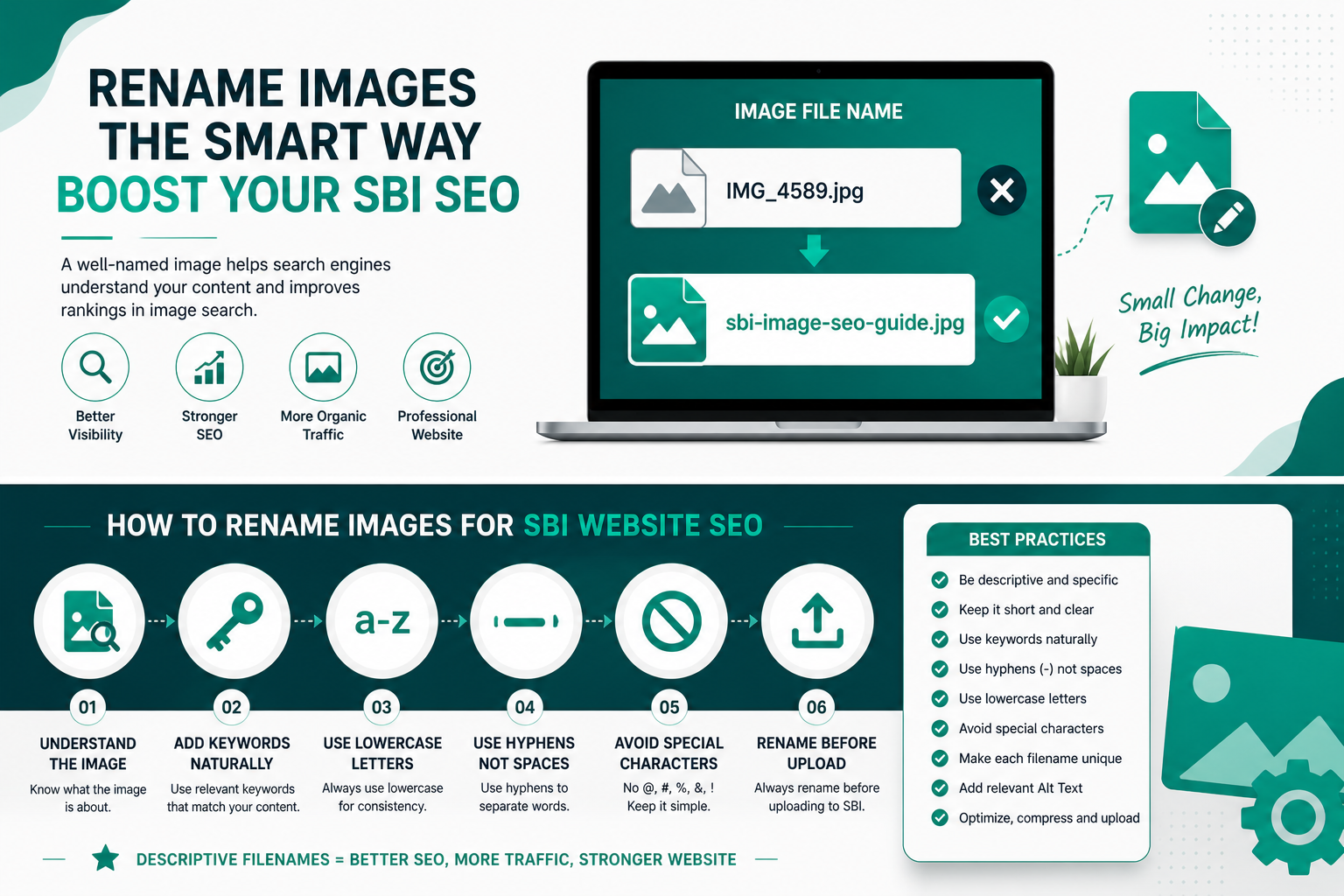
How to Rename Images for SBI Website SEO: Boost Rankings with Smart Filenames
Using generic image names like DSC_1234.jpg or IMG_0456.png is silently killing your Solo Build It website’s SEO potential. Search engines like Google use image filenames as a strong ranking signal. Poor filenames mean missed opportunities in Google Image Search and weaker overall page relevance.
In this ultimate guide, you’ll learn exactly how to rename images for maximum SBI SEO impact. More importantly, discover how Bulk Snap from SBISnap.com automates this entire process — along with resizing under 100KB and smart alt text generation — so you can focus on creating great content instead of tedious manual work.
Why Image Filenames Matter for Solo Build It SEO
Google and other search engines crawl filenames to understand image content and context. Descriptive, keyword-rich filenames send clear relevance signals that help your SBI pages rank higher in both web search and image search results.
Well-optimized image filenames contribute to:
- Better rankings in Google Images
- Improved topical authority
- Higher click-through rates from image results
- Stronger overall on-page SEO
- Professional appearance of your website
For SBI users, where every ranking advantage counts, ignoring image filenames is leaving money and traffic on the table.
The Solution: Bulk Snap from SBISnap.com does it all automatically with powerful AI tailored for Solo Build It users.
Best Practices for SEO-Friendly Image Filenames in SBI
1. Use Descriptive, Keyword-Rich Names
Bad: photo1.jpg
Good: best-keto-pizza-recipe-with-cauliflower-crust.jpg
2. Separate Words with Hyphens
Google prefers hyphens (-) over underscores (_) or spaces. Always use lowercase letters.
3. Keep Filenames Readable & Not Too Long
Aim for 50–80 characters. Include your main target keyword naturally near the beginning.
4. Match Image Context to Page Topic
The same image can have different optimal names depending on the SBI article it appears in.
5. Be Specific
Include details like location, benefit, year, or unique features when relevant.
Powerful Before vs After Filename Examples for SBI Niches
Health & Fitness:
Before: img_789.jpg
After: 6-month-weight-loss-transformation-keto-diet.jpg
Travel:
Before: DSC_2345.png
After: himalayan-trekking-adventure-kedarnath-temple.jpg
Business/Marketing:
Before: screenshot.jpg
After: solo-build-it-blockbuilder-tutorial-2026.jpg
Food Recipes:
Before: food-photo.jpg
After: homemade-butter-chicken-recipe-authentic-indian-style.jpg
Common Image Renaming Mistakes SBI Users Make
- Leaving default camera-generated filenames
- Using underscores instead of hyphens
- Keyword stuffing (makes filenames look spammy)
- Using vague or generic names
- Mixing uppercase and lowercase letters
- Renaming after upload instead of before
These mistakes hurt your SEO and make your site look unprofessional. Bulk Snap prevents all of them automatically.
How Bulk Snap Revolutionizes Image Renaming for SBI
Bulk Snap from SBISnap.com is the smartest image optimization tool created specifically for Solo Build It users. It combines AI intelligence with deep understanding of SBI requirements.
Amazing Features That Save You Hours:
- AI-Powered SEO Filenames: Automatically generates descriptive, keyword-optimized names based on your page topic.
- Guaranteed Under 100KB Compression: Perfectly sized images for the SBI Image Library.
- Smart Alt Text Generation: Creates high-quality, context-aware alt text for every image.
- Bulk Processing: Rename, resize, and optimize 50–500 images in minutes.
- SBI-Ready Export: Download perfectly organized files ready for upload.
Simply upload your raw images, tell Bulk Snap your article topic once, and get fully optimized, SEO-ready images.
Real SBI User Results
“Renaming images used to take me forever. With Bulk Snap, I processed 94 images in 8 minutes — perfect SEO filenames, all under 90KB, and excellent alt text. My time savings are massive and my pages rank better!”
— Anjali Sharma, SBI Health Niche Site Owner
Step-by-Step Manual Method to Rename Images for SBI
- Analyze the Image: Understand what it shows and how it supports your article.
- Identify Target Keywords: Use your main page keyword and relevant secondary terms.
- Craft the Filename: Primary keyword + descriptive details.
- Use Proper Format: All lowercase, hyphens between words, relevant extension (.jpg, .png, .webp).
- Check Length & Readability: Make sure it looks natural.
- Batch Rename: Use tools like Bulk Rename Utility (Windows) or NameChanger (Mac).
Even when doing it manually, Bulk Snap can generate excellent first drafts that you can quickly refine.
Complete Image Optimization Workflow with Bulk Snap
- Collect all images for your SBI article in one folder.
- Visit SBISnap.com and upload your images.
- Enter your article title or main keyword for AI context.
- Select “SBI SEO Optimized” preset.
- Let the AI rename, compress under 100KB, and generate alt text.
- Download the ready-to-upload zip file.
- Upload to SBI Image Library (much faster with perfect files).
This complete workflow turns image optimization from a chore into a quick, enjoyable step.
Advanced SEO Tips for Image Filenames in Solo Build It
- Use long-tail keywords for better targeting
- Maintain consistent naming patterns across your site
- Include location or year when relevant (great for local SEO)
- Create image sitemaps for better indexing
- Combine optimized filenames with strong alt text and proper image placement
Bulk Snap’s AI understands these advanced strategies and applies them intelligently.
Measuring the Impact of Better Image Filenames
After implementing smart renaming practices (especially with Bulk Snap), track:
- Google Image Search impressions and clicks
- Overall organic traffic growth
- PageSpeed Insights scores
- Time spent on image preparation (you’ll see dramatic reduction)
Many SBI users report noticeable improvements in traffic within a few weeks.
Why Bulk Snap is the Best Tool for SBI Image Renaming & Optimization
Generic tools don’t understand Solo Build It’s unique needs. Bulk Snap was built by SBI users, for SBI users. It delivers consistent, high-quality results every time while saving massive amounts of time.
Whether you publish weekly articles or massive resource guides, Bulk Snap scales with your ambitions.
Start Renaming Images Smarter with Bulk Snap Today →
Conclusion: Make Image SEO a Competitive Advantage
Learning how to rename images for SBI website SEO is one of the highest-ROI activities you can do as a Solo Build It member. Great filenames strengthen your on-page SEO, improve image search visibility, and make your site look more professional.
While you can rename images manually, ambitious SBI users choose efficiency. Bulk Snap from SBISnap.com handles renaming, compression to under 100KB, alt text generation, and full optimization in minutes — not hours.
Stop wasting time on repetitive tasks. Start using a tool that works as hard as you do.
Ready to take your SBI image SEO to the next level? Visit SBISnap.com today and experience the easiest, smartest way to optimize images for Solo Build It.